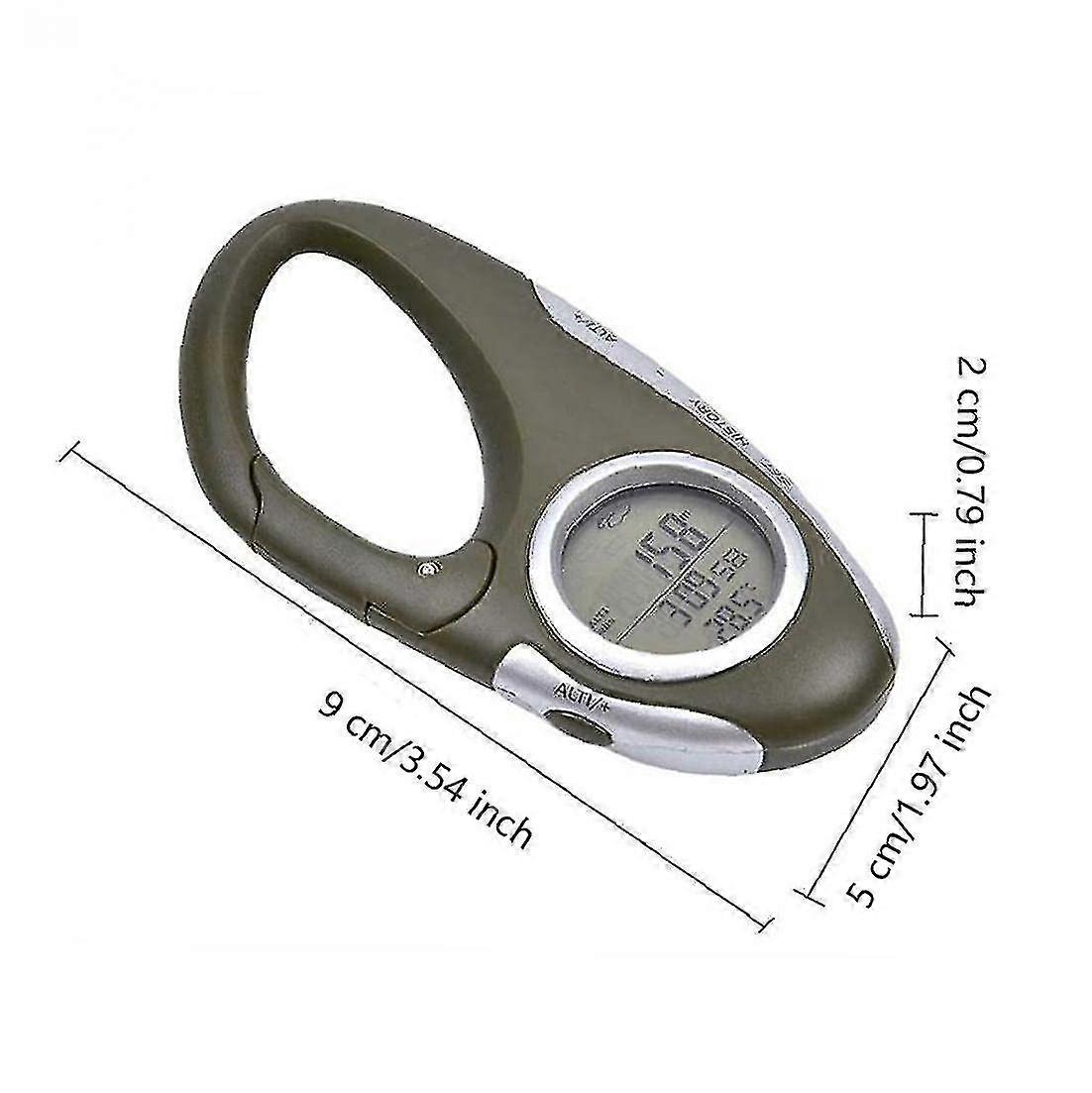
Mini Multifunctional Men'S Barometer Altimeter, Compass Lcd Digital Thermometer, 8 In 1 Hiking Thermometer (1 Piece)

1 749,00 Kč
doprava ZDARMA

Mini Multifunctional Men'S Barometer Altimeter, Compass Lcd Digital Thermometer, 8 In 1 Hiking Thermometer (1 Piece)

  • Značka: Unbranded
Prodal(a):

Mini Multifunctional Men'S Barometer Altimeter, Compass Lcd Digital Thermometer, 8 In 1 Hiking Thermometer (1 Piece)

  • Značka: Unbranded

1 749,00 Kč

Skladem
doprava ZDARMA

Politika 14denního vrácení

Prodal(a):

1 749,00 Kč

Skladem
doprava ZDARMA

Politika 14denního vrácení

Přijímáme následující platební metody

Popis

Mini Multifunctional Men'S Barometer Altimeter, Compass Lcd Digital Thermometer, 8 In 1 Hiking Thermometer (1 Piece)

1. Press and hold the [SET] button for 2 seconds, 24Hr flashes, press the [ALTI/+] button to switch to 24Hr or 12Hr 2. Press the [SET] button to enter the time setting, at this time the hour digit flashes, press [ALTI/+] or [-] to set the hour value; 3. Press the [SET] button to flash the minutes, press [ALTI/+] or [-] to set the minutes; 4. Press the [SET] button and the year number of the calendar will flash, press the [ALTI/+] or [-] button to set the year value; 5. Press the [SET] button to flash the month number of the calendar, press the [ALTI/+] or [-] button to set the month value; 6. Press the [SET] button, the date number of the calendar will flash, press the [ALTI/+] or [-] button to set the date value; 7. Press the [SET] button, the temperature unit flashes, press the [ALTI/+] button to switch the temperature unit to select or ; 8. Press the [SET] button, the air pressure unit HPA flashes, press the [ALTI/+] button to switch and select the air pressure unit HPA/inHg/mmHg; 9. Press the [SET] button, the height unit M flashes, and press the [ALTI/+] button to switch to select the height unit M or FEET; 10. After the setting is completed, press [HISTORY] to exit the setting state, or automatically exit the setting without any operation within 10 seconds; 11. Press the [SET] button to switch the time and calendar display methods. barometer The current air pressure value is displayed on the screen immediately after power on. Press the [ALTI/+] button to switch between barometer and altimeter. Altimeter The altitude value displayed on the screen after power on is the sea level altitude of the current location. In the altitude display state, press the [SET] and [ALTITUDE/+] keys at the same time, you can press [+] or [-] to change the current altitude value. relative altimeter The use of the relative altimeter is to clear the height value measured at this time, and take the position at this time as the 0M height point, and the height value rising or falling from the 0 height point is the relative height value. The method of clearing the height value is to long press the [ALTI/+] button until 0M is displayed at the bottom of the screen. At this time, the movement starts, and the relative height value of the movement starts to be displayed on the screen. Press and hold the [ALTI/+] button again to switch back to to the actual height value. weather forecast It can predict the weather conditions in the next 12 to 24 hours when it is turned on, and the effective range is 30~50KM. 1. Since the weather forecast will be affected by oceanic or continental weather phenomena, the imprecise forecast results in For inconvenience, please refer to the weather forecast of the local weather station. 2. Weather forecasts are for the next 12-24 hours and do not reflect current conditions. history Altitude pressure record In the altimeter mode, press the [HISTORY] button to view the historical absolute altitude. Each time you enter this mode, the earliest saved record is always displayed. Press the [ALTI/+] or [-] button to view the history forward or backward. Record. In the barometer mode, press the [HISTORY] button to view the historical barometric pressure records. Each time you enter this mode, the oldest saved record is always displayed. Press the [ALTI/+] or [-] button to view the previous or backward barometric pressure. history record. A maximum of 256 records can be saved, and records are automatically saved every 5 minutes by default. Long press [HISTORY] to set the interval time for historical records, ranging from 1 to 60 minutes. Power saving design If you don't want to use any function of the device, press and hold the [SET] button for about 5 seconds in any state, the device will enter the sleep state, and there will be no full screen display. When using the device again, press any button to restore the display before the sleep state. Backlight Press any key to turn on the backlight in any state, and press any key to extend the backlight time for 5 seconds when the backlight is on. If you do not press any key, the backlight will automatically turn off after 5 seconds of operation.
  • Fruugo ID: 87466963-182445660
  • EAN: 1393758417336

Informace o bezpečnosti produktu

Přečtěte si prosím níže uvedené informace o bezpečnosti produktu specifické pro tento produkt

Následující informace poskytuje nezávislá třetí strana prodejce tohoto produktu.

Bezpečnostní štítky produktu

CE Mark
bezpečnostní upozornění: WARNING TO AVOID DANGER OF SUFFOCATION, KEEP THIS PLASTIC BAG AWAY FROM BABIES AND CHILDREN, DO NOT USE THIS BAG IN CRIBS,BEDS,CAR RIAGES.OR PLAY PENS.THIS BAG IS NOT A TOY.
přísad: Octinoxate 6.3%
Číslo dílu výrobce: sc135078
Číslo modelu: sc8691681
sériové číslo: 1393758417336
Číslo šarže: sc927268

Doručení a vrácení

Odesláno do 3 dnů

  • STANDARD: ZDARMA - Doručení mezi pá 26 prosince 2025–po 05 ledna 2026 - ZDARMA

Doprava od Čína.

Děláme, co můžeme, aby k vám produkty, které si objednáte, dorazily kompletní a splňovaly vaše specifikace. Pokud však objednávka dorazí nekompletní, produkty jsou rozdílné od těch, které jste si objednali, nebo existuje jiný důvod k nespokojenosti s objednávkou, můžete objednávku nebo jakékoliv v ní obsažené produkty vrátit a obdržet za ně plnou náhradu. Zobrazit kompletní zásady vrácení

Podrobnosti o shodě produktu

Přečtěte si prosím níže uvedené informace o shodě specifické pro tento produkt.

Následující informace poskytuje nezávislá třetí strana prodejce tohoto produktu.

Výrobce:
V následujících informacích jsou uvedeny kontaktní údaje na výrobce příslušného výrobku prodávaného na Fruugo.

  • Limited Liability Company (Sole Proprietorship by Natural Person)
  • Dongguan Chuangwen Packaging Materials Co., Ltd.
  • 4th Floor, No. 5 Hongmian 1st Road, Daning Community, Humen Town,
  • dongguan
  • guangdong
  • guangdong
  • China
  • 523000
  • succii981@outlook.com
  • 86 17771307599
  • https://www.qcc.com/firm/ccf39248b197e74efbef756db95207ac.html

Odpovědná osoba v EU:
V následujících informacích jsou uvedeny kontaktní údaje na odpovědnou osobu v EU. Odpovědná osoba je určený ekonomický subjekt působící v rámci EU, který je odpovědný za dodržování požadavků stanovených pro příslušný výrobek prodávaný do Evropské unie.

  • SUCCESS COURIER SL
  • SUCCESS COURIER SL
  • CALLE RIO TORMES NUM.1,PLANTA 1,DERECHA ,OFICINA 3
  • FUENLABRADA
  • MADRID
  • MADRID
  • Spain
  • 28947
  • infonoticeeran@gmail.com
  • 34910602659
  • https://seller.kuajingmaihuo.com/settle/qualification-service