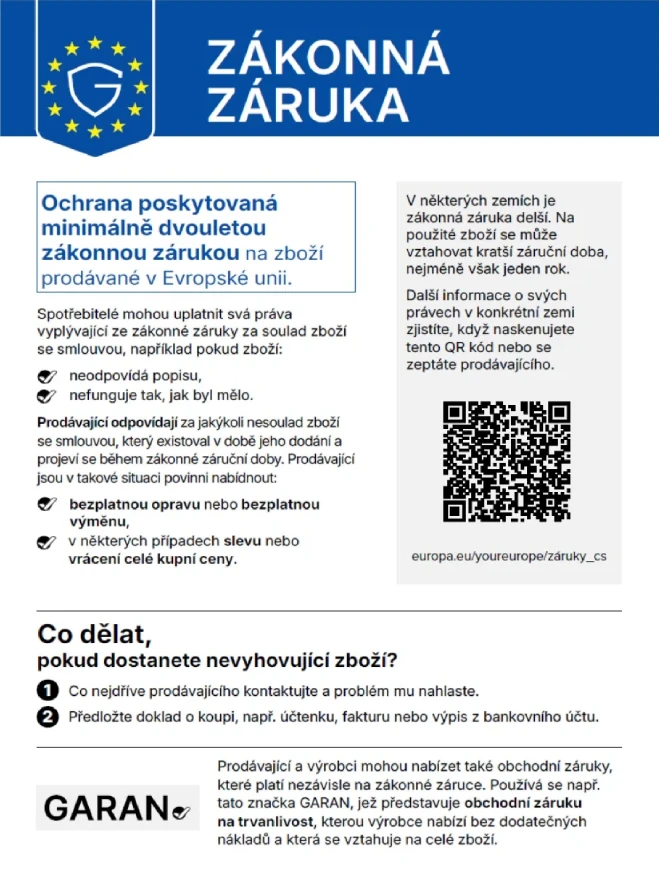
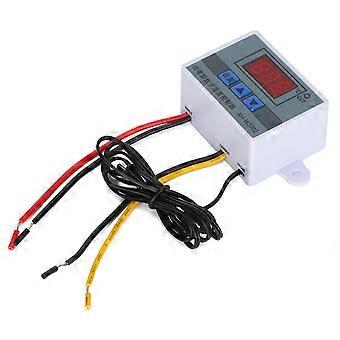
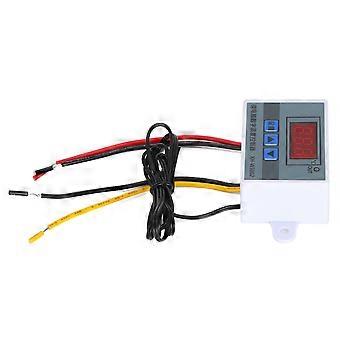
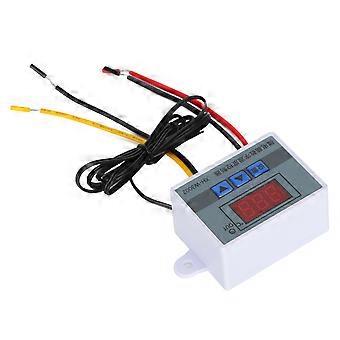
XH‑3002 Microcomputer Digital Temperature Controller Hatching Temperature Controller110‑220V
349,00 Kč
doprava ZDARMA

XH‑3002 Microcomputer Digital Temperature Controller Hatching Temperature Controller110‑220V
  • Značka: Unbranded
Prodal(a):

XH‑3002 Microcomputer Digital Temperature Controller Hatching Temperature Controller110‑220V
  • Značka: Unbranded

349,00 Kč

Uložit 325,00 Kč (48%)

Doporučená cena

674,00 Kč
Skladem
doprava ZDARMA

Politika 14denního vrácení

Prodal(a):

349,00 Kč

Uložit 325,00 Kč (48%)

Doporučená cena

674,00 Kč
Skladem
doprava ZDARMA

Politika 14denního vrácení

Způsoby platby:

Popis

XH‑3002 Microcomputer Digital Temperature Controller Hatching Temperature Controller110‑220V
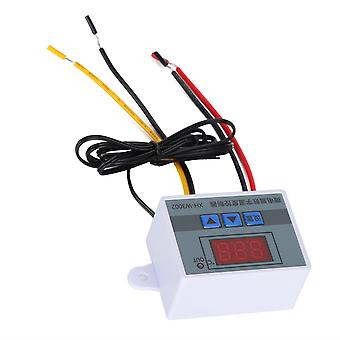
Features 1、A variety of fields perfect use, convenient operation and practical settings, is your side temperature control housekeeper. 2、It is precise and reliable with good long‑term stability. Convenient for install and fixed. Small size, low power consumption, fast response. 3、Easy operation, to set start temperature, stop temperature, corrected temperature connector and so on. 4、Suitable for hatching, breeding, air and water temperature control and other related temperature detection and control. 5、Specifications are optional, precise temperature control, temperature calibration. Specifications: ItemType: Digital Temperature Controller Material: Plastic Weight: Approx. 51g / 1.8oz Operating Voltage Specifications: 12V, 24V, 110-220V Accuracy Level: 0.1 Temperature Measurement Range: -50-110 (℃) Temperature Measurement Accuracy: -15-65 (℃) Humidity Measurement Accuracy: 1 (RH) Temperature Measurement Error: ±1 (℃) Applicable Environment: -15-55℃ / 20%-85%RH Product Embedded Hole Size: 73mm / 2.9in, Hole Diameter (φ4mm) How to use: 1. Press the setting button once to enter the internal menu, the default display is P0, press the setting button again, and set the required starting temperature through the up and down buttons. 2. Press the setting key once to enter the internal menu, the display is P0, switch to P1 through the up and down keys, press the setting key again, and set the required stop temperature through the up and down keys. 3. Enter the internal menu in the same way, switch to P2 through the up and down buttons, press the setting button again, and set the required calibration temperature through the up and down buttons. (Note: In the setting, if the detected temperature value is 0.5°C larger than the actual temperature value, then the calibration temperature that needs to be set is -0.5°C. If the detected value is 1°C lower than the actual temperature value, the calibration temperature that needs to be set is 1°C. Detection temperature + Correction temperature = Actual temperature.) 4. Enter the internal menu in the same way, switch to P3 by pressing the up and down buttons, press the setting button again, and set the required delay time through the up and down buttons in minutes. (Note: Delayed start is generally used for compressor refrigeration. If it is used for refrigerators and freezers, this value needs to be set. According to the compressor back pressure, the general setting value is 3-6 minutes. If you are not used for control or no delay function is needed, just skip it. Temperature control mode 1. Setting essentials: Start temperature <stop temperature (the program automatically judges that the working mode is heating mode) 2. Setting method: press the setting key to enter the internal menu, set the start temperature through the P0 value, and set the stop temperature through the P1 value Use case: Control the water heater, stop heating to 50°C, and start heating again when the temperature returns to 40°C, how to set it? 1. Make sure that the working mode is heating mode, starting temperature <stop temperature. 2. Press the setting key to enter the internal menu, select P0 to start the temperature and set the P0 value to 40°C. 3. Press the set key to enter the internal menu, select P1 to stop the temperature and set the value of P1 to 50℃ Cooling mode 1. Setting essentials: start temperature> stop temperature (the program automatically judges that the working mode is cooling mode) 2. Setting method: Press the setting key to enter the internal menu, set the start temperature through the P0 sets the stop temperature through the P1 value. Use case: empty cabinet radiator, heat dissipation stops at 26℃, and the temperature rises to 30℃ to start the radiator again, how to set it? 1. Make sure the working mode is cooling mode, starting temperature>stop temperature. 2. Press the setting key to enter the internal menu, select P0 to start the temperature change and set the P0 value to 30°C. 3. Press the setting key to enter the internal menu, select P1 to stop the temperature and set the value of P1 to 26℃. Package List 1 x Temperature Controller
  • Fruugo ID: 434620739-911956359
  • EAN: 8675723779308

Informace o bezpečnosti produktu

Přečtěte si prosím níže uvedené informace o bezpečnosti produktu specifické pro tento produkt

Následující informace poskytuje nezávislá třetí strana prodejce tohoto produktu.

Bezpečnostní štítky produktu

CE Mark
bezpečnostní upozornění: Please do not allow your child to handle this product alone to avoid swallowing or other injuries; adult supervision is recommended.

Doručení a vrácení

Odesláno do 2 dnů

  • STANDARD: ZDARMA - Doručení mezi st 07 ledna 2026–út 13 ledna 2026 - ZDARMA

Doprava od Čína.

Děláme, co můžeme, aby k vám produkty, které si objednáte, dorazily kompletní a splňovaly vaše specifikace. Pokud však objednávka dorazí nekompletní, produkty jsou rozdílné od těch, které jste si objednali, nebo existuje jiný důvod k nespokojenosti s objednávkou, můžete objednávku nebo jakékoliv v ní obsažené produkty vrátit a obdržet za ně plnou náhradu. Zobrazit kompletní zásady vrácení

Podrobnosti o shodě produktu

Přečtěte si prosím níže uvedené informace o shodě specifické pro tento produkt.

Následující informace poskytuje nezávislá třetí strana prodejce tohoto produktu.

Výrobce:
V následujících informacích jsou uvedeny kontaktní údaje na výrobce příslušného výrobku prodávaného na Fruugo.

  • Shenzhen Desheng Network Technology Co., Ltd
  • Shenzhenshi Desheng Wangluo Keji Youxian Gongsi
  • NO,606-23-220,MeinianGuojiGuangChangZhaoshangJiedaoNanHaidadao yixi
  • Meinian International Plaza, Zhaoshang Street
  • Nanshan District
  • Shenzhen
  • CN
  • 518000
  • GoodLuck856@163.com
  • 8613164761511

Odpovědná osoba v EU:
V následujících informacích jsou uvedeny kontaktní údaje na odpovědnou osobu v EU. Odpovědná osoba je určený ekonomický subjekt působící v rámci EU, který je odpovědný za dodržování požadavků stanovených pro příslušný výrobek prodávaný do Evropské unie.

  • SINO-SEAR GmbH
  • SINO-SEAR GmbH
  • Feuerbachstrasse 11
  • Potsdam
  • DE
  • 14471
  • info@sino-scar.com
  • 4933195130908